Skip to start
heyEugeneShifts

for cafés, restaurants and pubs

Your café’s own free staff scheduling app.

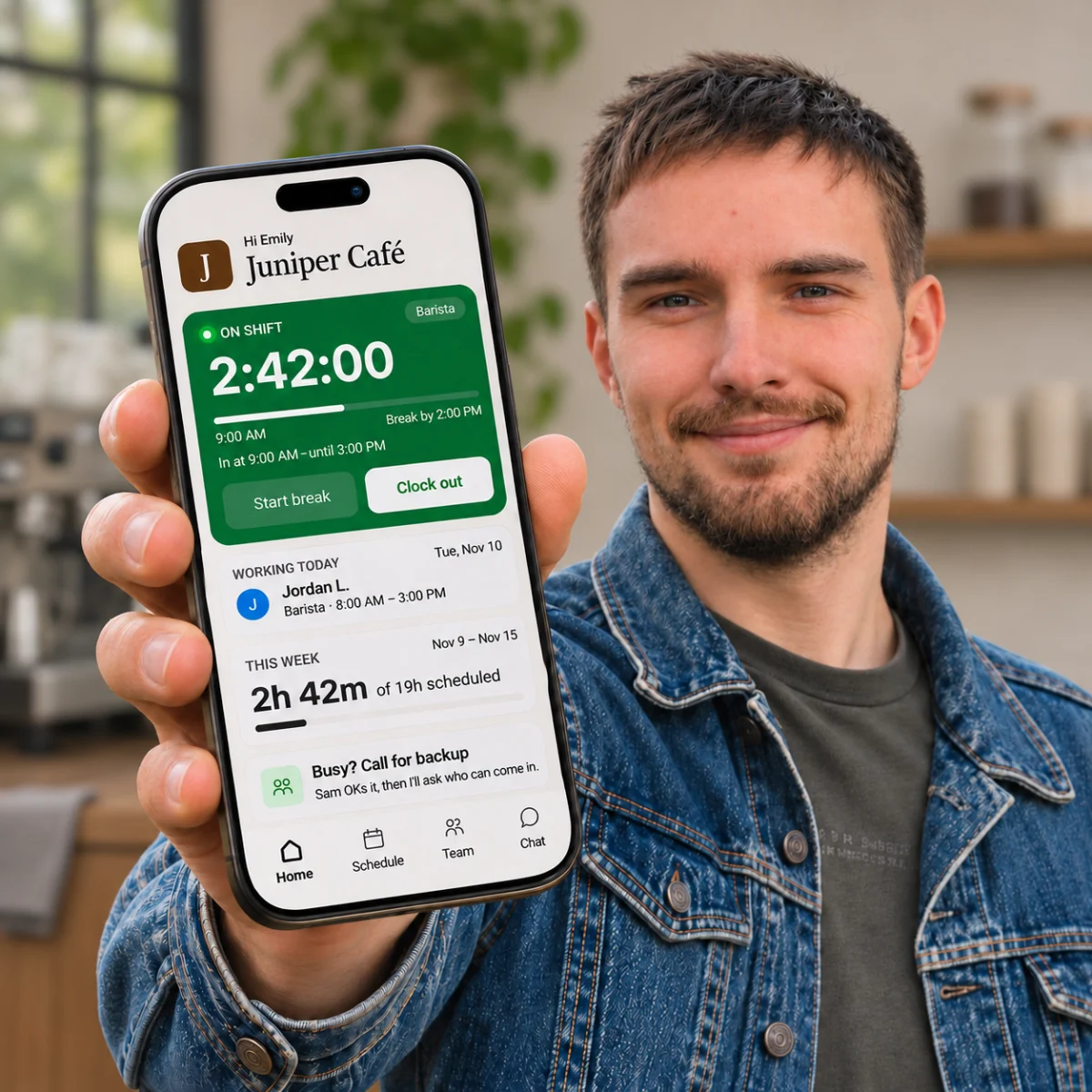
Eugene holds the Juniper Café app up to the camera.
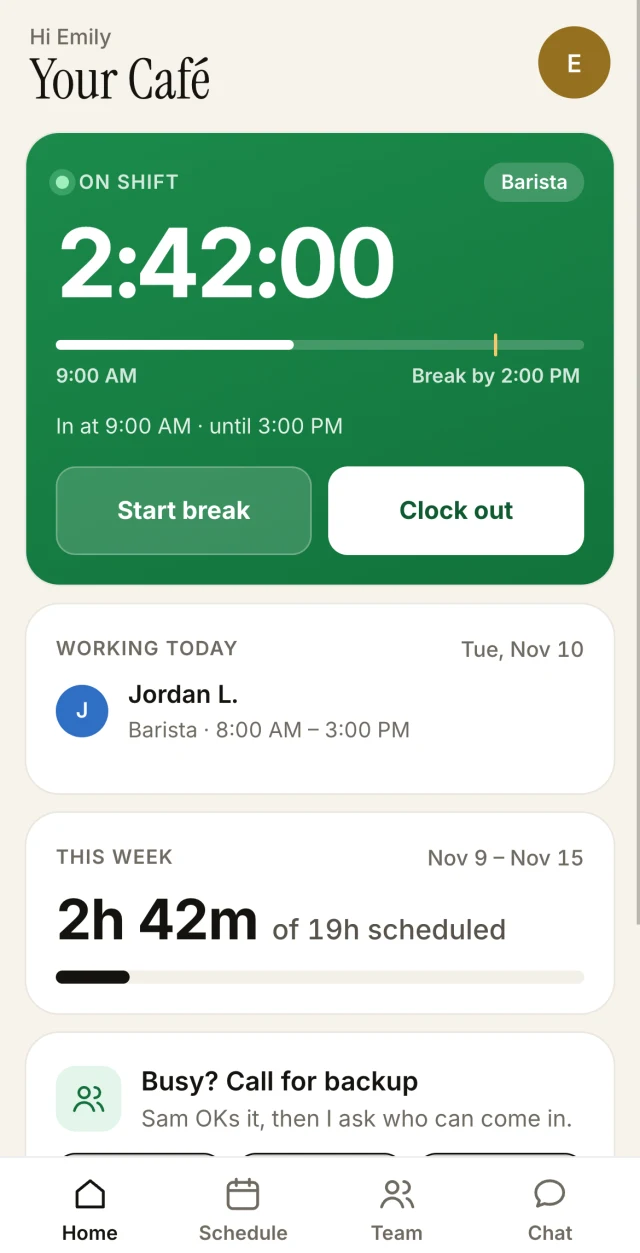
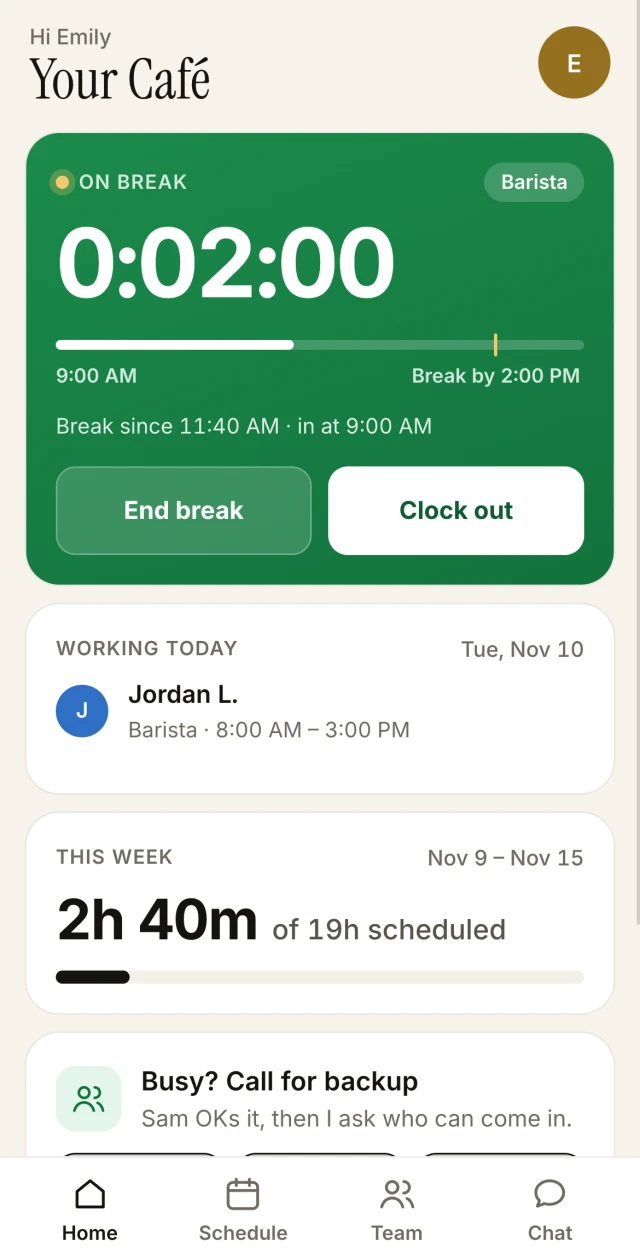
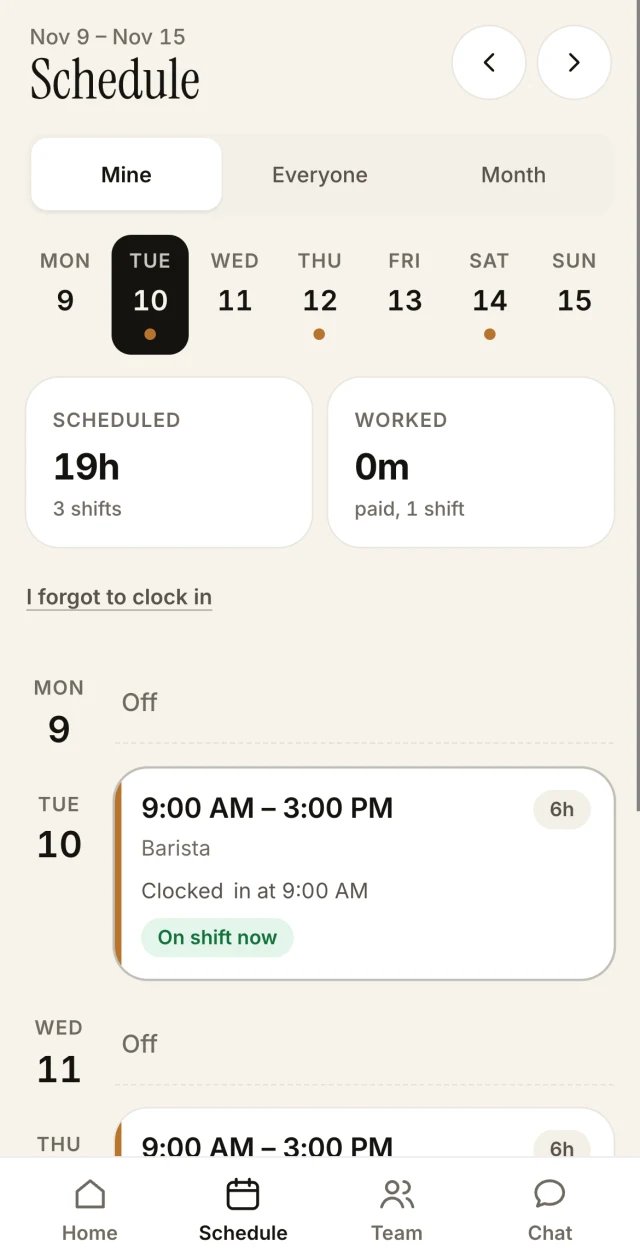
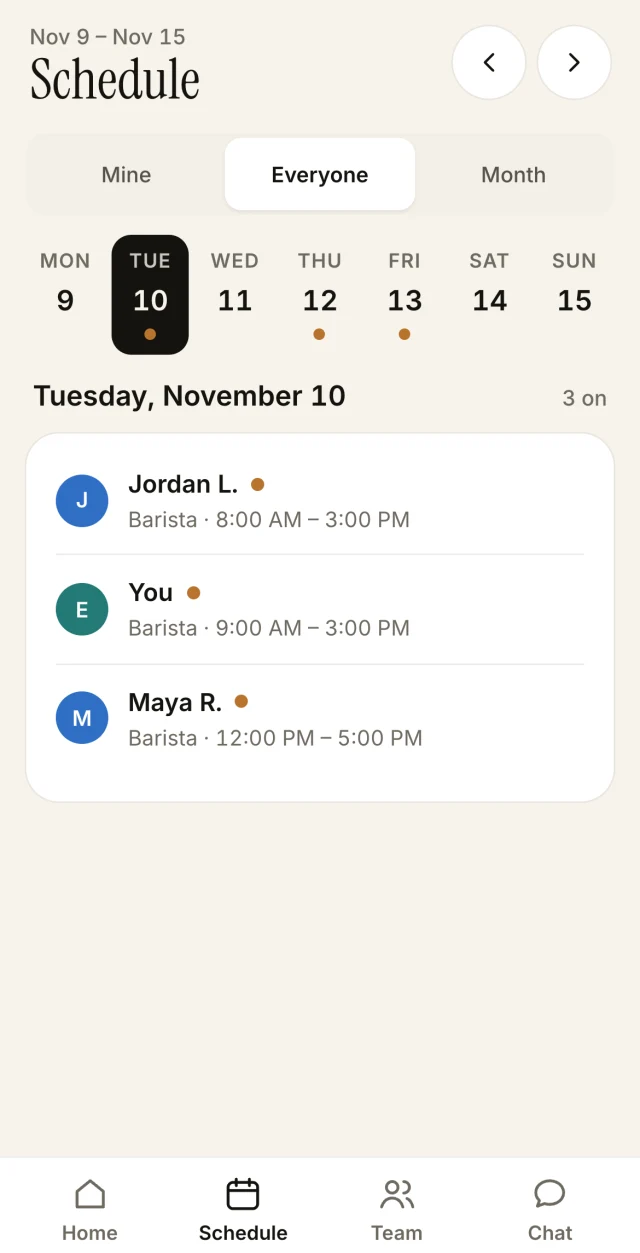
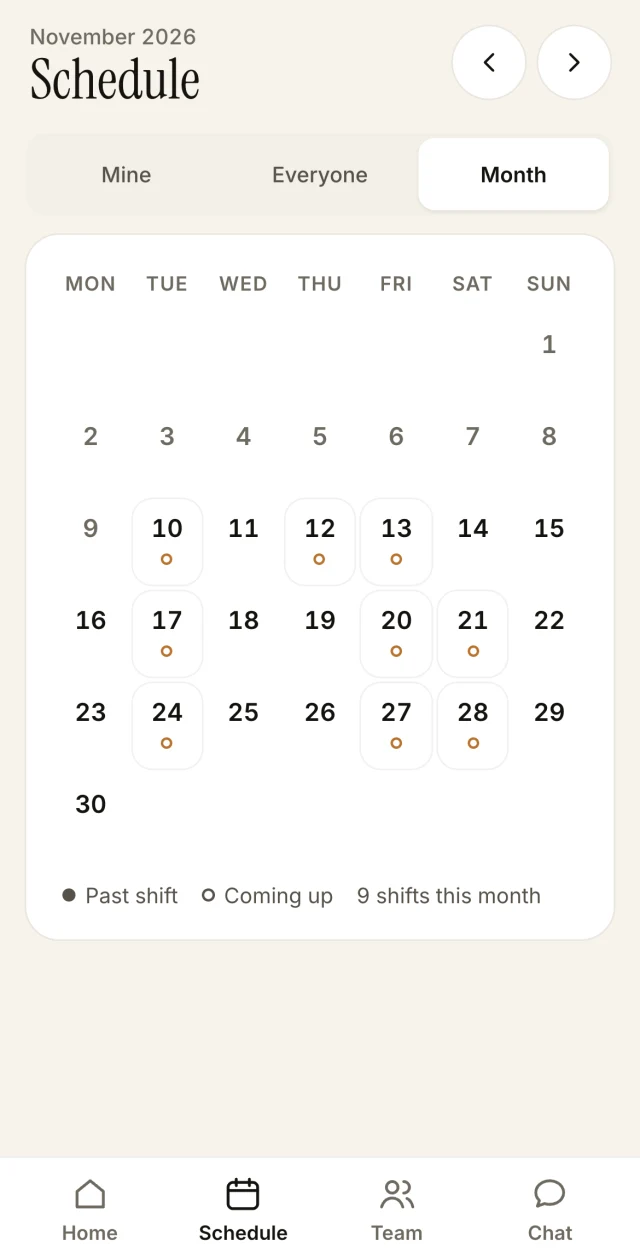
Emily’s own shifts and hours for the week.

Staff see their shifts, clock in and out, and check their hours in an app with your café’s name and icon.

You can add your schedule later, inside the app.

See how setup works

Staff sign in with a private link. No phone number or SMS code needed.

the free manager app

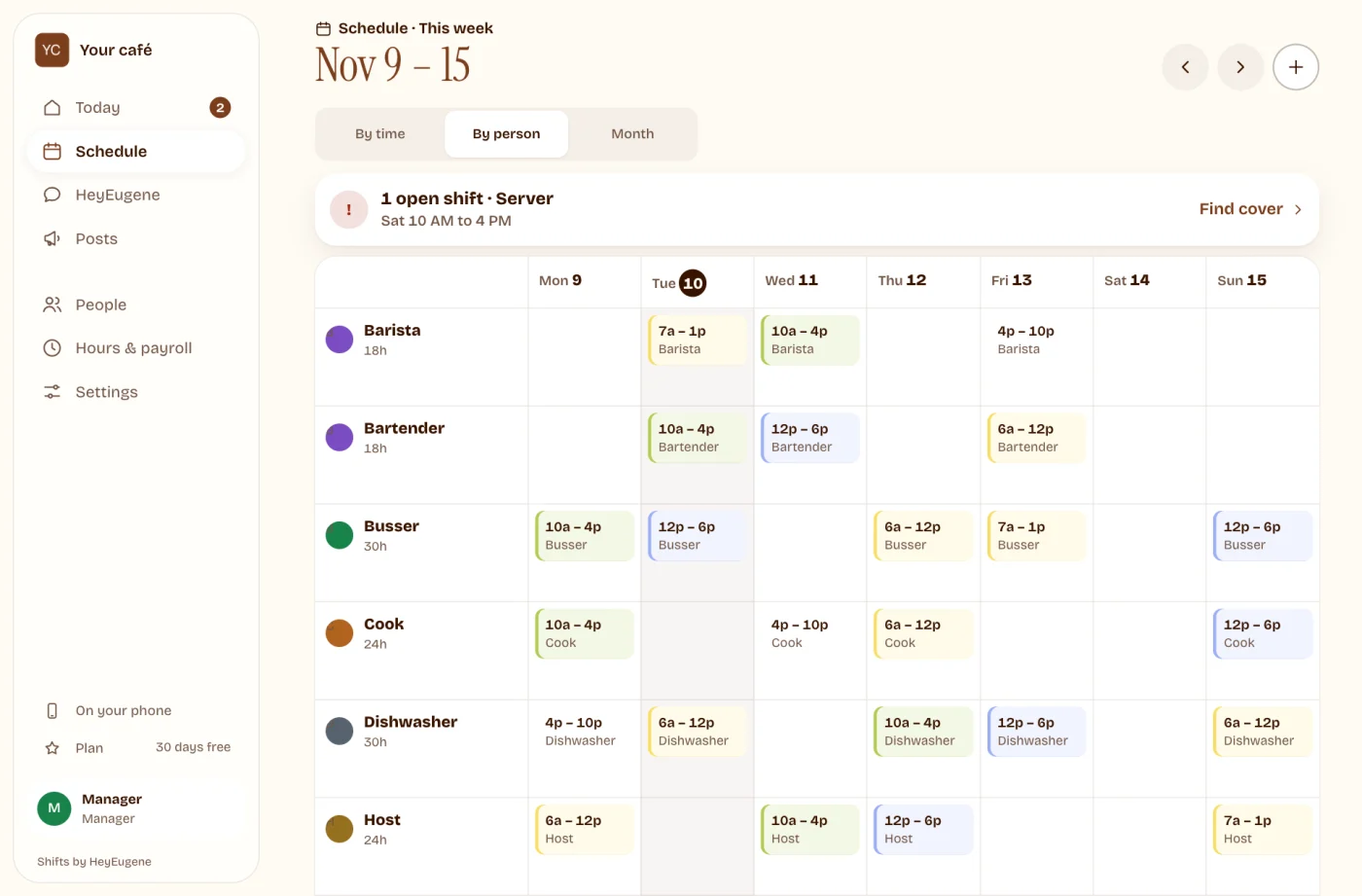
Build the week on your computer.

Open HeyEugene in your browser on a Mac or PC. Import a schedule photo inside your app, or add shifts by hand.

  • Edit and publish. Change a shift once. Staff see the latest schedule on their phones.
  • Review hours. See clock-ins, clock-outs and breaks, then export a timesheet CSV for payroll.
  • Keep the team in the loop. Send each staff member a private sign-in link and post updates in their app.
The manager’s weekly schedule by employee on a computer.
Manager app with demo data

From your current schedule to your team’s phones.

Bring one week over

Use a screenshot from Canva, a spreadsheet, 7shifts or Homebase, or take a photo of the schedule on the wall. We read the names and shifts on the image. Review and correct them before publishing. Staff sign-ins and past payroll records stay in your old system.

Create your free staff app

Set your café’s name and icon, then add or skip the schedule. Continue with the free staff app, or start the coordinator’s 30 days when you’re ready. The free app is for your whole team. Add a manager with their own sign-in from Settings.

Invite staff, then review hours

Add staff by name and send each person a private sign-in link. They can see their shifts in the browser and add the app to their phone. You review their clocked hours and download a CSV for payroll.

What happens when someone calls in sick?

Compare with
At your caféheyEugeneStaff scheduling appPaperor whiteboardCanvaSchedule template7shifts / HomebaseScheduling software7shiftsScheduling softwareHomebaseScheduling software
Someone calls in sick at 6 AMCall or text staff yourselfCall or text staff yourselfShift pool in 7shifts. Homebase Assistant can contact staff.Staff can claim open shifts from the Shift Pool.Homebase Assistant can contact staff.
Bring over your scheduleWrite out the scheduleFill in a templateBoth offer photo importPhoto importPhoto import
What staff openThe wall scheduleA shared file or linkThe 7shifts or Homebase appThe 7shifts appThe Homebase app
What it costs—Free
Pro · CA$142/yr
7shifts
Free for up to 15 staff
Paid · CA$44.99–$149.99/mo
Homebase
Free for up to 10 staff
Paid · US$30–$120/mo
Prices per location. Free plans cover one location.
Free for up to 15 staff
Paid · CA$44.99–$149.99/mo
Prices per location. Free plans cover one location.
Free for up to 10 staff
Paid · US$30–$120/mo
Prices per location. Free plans cover one location.

Plans checked November 10, 2026. Canva · 7shifts · Homebase

from Gibsons, BC

I built this for the kind of team I worked on.

I worked at Mike's Place on the Sunshine Coast and saw how much time it took to keep a schedule up to date. They were the first team we set up with HeyEugene.

Eugene

Eugene

Mike’s Place storefront in Gibsons Landing, BC.
Mike's Place

Gibsons Landing · using Shifts since Oct 30

On the team
25

make it yours

Your café’s own app on their phones.

Start with your website, Instagram or Google Maps. Check your café’s details, then pick the name and colours your team will see. Upload your logo for the home screen icon, or use your café’s initials.

YPYour place
your app, your name

the paid add-on

Meet your Shift Coordinator.

Give it the work that keeps interrupting your day: collecting availability, finding cover and chasing down missing hours.

Start free month

Choose when to start during setup. No card needed. Then CA$29 per location per month if you subscribe.

Plan ahead
If next week has gaps on your planning day, it can suggest copying a previous week. For a new month, ask it to collect days off and availability, follow up with the team and draft the schedule for you to review.
Cover sick calls and swaps
The coordinator asks available staff to cover based on your rules. When someone says yes, you can review and approve the change.
Check hours before payroll
With your payroll date set, it can remind staff to check their hours the day before and send you a summary on payroll day. It follows up on missing clock-ins or clock-outs. If someone confirms they didn’t work, it takes that shift off the schedule so it doesn’t turn up as missing hours.

Save its number. Send it a text.

The subscription includes the coordinator in the app and by SMS in Canada. Managers can ask who’s on or text “Draft next week.” Staff can report hours or reply to a reminder from their usual messages. WhatsApp is planned.

You were scheduled yesterday. Did you work?

No, I didn’t work that shift.

Thanks. I took it off the schedule.

6:10am, Friday

One sick call, start to finish.

Your team texts a number, like they text you. HeyEugene finds cover by your rules: who can close, who's new, BC's rest hours. You tap OK.

9:41
HeyEugene ›

Text Message · Today 6:10 AM

9:41
HeyEugene ›

Text Message · Today 6:11 AM

9:41

Harbour Bean

Today

Nothing waiting on you.

what I promise

You stay the boss.

You decide what to publish, who joins the app and which shift changes to approve.

  1. By default, every replacement needs your OK.

    HeyEugene asks, you approve. Nothing is booked until you tap OK. You can switch on auto-OK in Settings.

  2. Nobody is texted without saying yes

    Each person joins from your link and confirms their own mobile. Anyone can text STOP and it stops. Only they can turn it back on.

  3. It never asks why

    Saying they can't come in is enough. Coworkers asked to cover see whose shift and when, never the reason.

  4. Your team's data stays yours

    Used only to run your schedule. Never sold, no ads. Our copy of the messages is deleted after 90 days.

  5. Easy to leave

    No contract. Tell me and I stop it. Delete your venue's staff list, schedules and messages yourself, in Settings, any time.

what’s free and what’s paid

The app is free. Only the Shift Coordinator is paid.

Keep scheduling, tracking hours and running your team in the app for free. Add the coordinator if you want help chasing down availability, drafting the schedule or finding cover.

Optional add-on

Shift coordinator

an agent, and it tells everyone that

Pay
CA$29 a month per venue, whole team included, no per-person fee. First month free, no card.

Once your app is ready, upload a photo of your schedule or build the week by hand.

See how it works and how setup goes, 110 seconds

Founding venue (Shift Coordinator): CA$249 total for 12 months at one location. No GST or PST is added at checkout. Full refund on request within 60 days. No automatic renewal.

keep what you use

Already use something for the schedule or payroll? Keep it. The agent works either way. Tell me what you use, and I'll build the link to it.

Rather talk first? Leave a few details.

Rather ask a question?

How do you do the schedule now?

Email or phone is enough.

No card, nothing to pay yet.

Questions you might have

Will my staff actually use it?

In Canada, if they can text you, they can text it. They write normally, “can't make Sat”, and it answers like a person would. Its first text says it's an agent, not a person, and each person joins once from a link you share.

What if it gets something wrong?

If someone calls in sick, it starts asking around right away, but nobody takes the shift until you tap OK, unless you switch on auto-OK yourself. If it isn't sure what someone means, it asks them or texts you. And you can always text your team yourself, like before.

Do my staff need an app?

Staff open a private sign-in link in their browser. They can use the web app there or add it to their phone’s home screen. The private link works without a phone number or SMS code.

Text, app or WhatsApp: which one?

Whichever each person likes. It's one agent with your rules, so a swap asked by text and an OK tapped in the app are the same conversation. SMS works in Canada today; the apps work today too. WhatsApp is in the works and waits on Meta's approval, and I'll tell you the day it's on.

What if nobody says yes?

It tells you which shift is still open and who it asked, so you know where things stand without scrolling the group chat. A sick call opens the shift right away. A swap stays with the person until someone says yes. Need someone right now? Ask HeyEugene to flag the best fit. By default, every replacement needs your OK; you can switch on auto-OK in Settings.

We already use 7shifts or a paper schedule.

Keep it. Put one week in, and HeyEugene handles the sick calls and swaps on top. If you like it, it can draft next week from your usual week too. Tell me what you use, and I'll build the link to it.

Is it AI?

It reads messages with AI so people can write normally. It won't offer cover that breaks your rest rules or hour limits, and it flags overtime for you. When it isn't sure what someone means, it asks them.

How long does setup take?

Start with your venue’s name, your name, your role and your time zone. Set up the app’s name and icon, then add a shift or skip the schedule until later. Add staff by name and send each person a private sign-in link when you’re ready.

What happens after the coordinator’s free month?

Your schedule, time clock, timesheets and team app stay free. The trial starts when you choose it during setup or in Plan. Subscribe only if you want the Shift Coordinator to keep running.

What if HeyEugene shuts down?

I'd tell you ahead and send you your team list and schedules as a file. Your group chat keeps working the whole time, nothing depends on us.